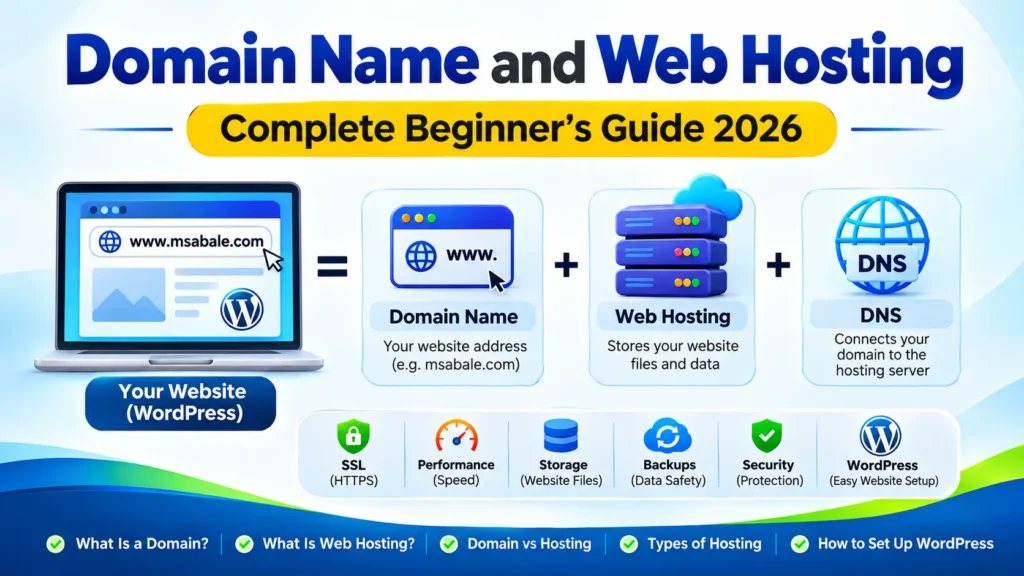
Planning to create your first website? Understanding domain name and web hosting is the first step. Whether you are a student, freelancer, entrepreneur or business owner, these two components form the foundation of your online presence.
A domain gives your website an address, while web hosting provides the infrastructure required to store and display its content. This guide explains how both services work and how you can use them to launch a professional WordPress website.
What Is a Domain Name?
A domain name is the unique, readable address people use to access a website through an internet browser. Instead of remembering a numerical IP address, visitors can simply enter a domain name.
For example, msabale.com is a domain name.
Structure of a Domain Name
Consider the example www.msabale.com:
- www: Subdomain.
- msabale: Second-level domain.
- .com: Top-level domain (TLD).
Domains are registered through domain registrars for a specific period. You must renew your registration to retain the right to use your domain.
You can check publicly available domain registration information using the ICANN Registration Data Lookup.
What Is Web Hosting?
Web hosting is a service that stores your website files, images, databases and other resources on a server connected to the internet.
When someone visits your domain, the hosting server processes the request and delivers the website content to their browser.
Important Web Hosting Resources
- Storage: Space for website files, images and databases.
- Bandwidth: The amount of data transferred between the website and its visitors.
- RAM: Memory available for running website processes.
- CPU: Processing power used to handle website requests.
- Database: Stores website content, settings and user information.
Difference Between Domain Name and Web Hosting
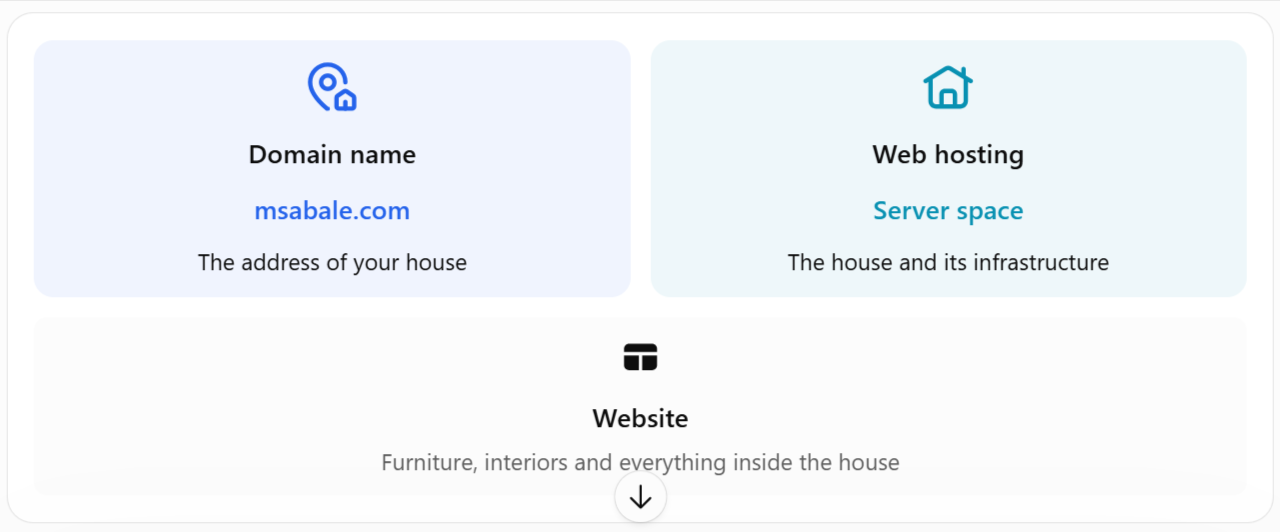
The main difference between domain name and web hosting is that a domain identifies your website, while hosting provides the infrastructure required to make it accessible online.
| Feature | Domain Name | Web Hosting |
|---|---|---|
| Meaning | Website address | Website infrastructure |
| Purpose | Identifies a website | Stores and delivers content |
| Example | msabale.com | Hostinger hosting |
| Provider | Domain registrar | Hosting provider |
| Renewal | Usually yearly | Monthly or yearly plans |
| Expiration | Website address may stop working | Website content may become inaccessible |
Simple example: Think of your domain as your house address, hosting as your house and website content as the furniture and interiors inside it.
How Do Domain and Hosting Work Together?
When someone enters your website address into a browser, DNS helps locate the server or service responsible for delivering your website.
- The visitor enters a domain name.
- The browser initiates a DNS lookup.
- The DNS resolver retrieves the required DNS information.
- The browser connects to the destination server or CDN.
- The server processes the request.
- The website loads in the visitor’s browser.
Website loading process: Domain Name → DNS Lookup → Server IP Address → Web Server → Website.
What Is DNS?
DNS stands for Domain Name System. It translates human-readable domain names into information computers use to locate websites, email servers and other online services.
Common DNS Record Types
| DNS Record | Purpose |
|---|---|
| A Record | Connects a hostname to an IPv4 address. |
| AAAA Record | Connects a hostname to an IPv6 address. |
| CNAME Record | Points one hostname to another hostname. |
| MX Record | Directs incoming email to mail servers. |
| TXT Record | Supports verification and email authentication. |
| NS Record | Identifies authoritative nameservers. |
| CAA Record | Specifies permitted certificate authorities. |
Learn more about DNS record types through Cloudflare’s official documentation.
What Are Nameservers?
Nameservers provide DNS information for your domain. When you change your domain’s nameservers, you delegate DNS management to another DNS provider.
DNS changes may take time to become visible across different networks because previously cached records need to expire. This process is commonly called DNS propagation.
Types of Domain Extensions
A domain extension is the final part of a domain name. Choose an extension based on your brand, audience and business requirements.
| Extension | Suitable For |
|---|---|
| .com | Businesses, portfolios and global brands |
| .in | Indian businesses and professionals |
| .co.in | Commercial organisations in India |
| .org | Non-profit organisations and communities |
| .net | Technology and networking businesses |
| .edu | Eligible educational institutions |
| .gov | Eligible US government organisations |
| .io | Technology startups |
| .ai | Artificial intelligence businesses |
For most personal portfolios and small businesses, .com or .in is a practical choice. A domain extension alone does not guarantee better search engine rankings.
Types of Web Hosting
Different hosting plans are designed for different website requirements, budgets and levels of technical expertise.
1. Shared Hosting
Multiple websites share server resources. It is an affordable option for beginners, personal portfolios, blogs and small business websites.
2. VPS Hosting
Virtual Private Server hosting provides an isolated virtual environment with defined resources and greater administrative control. It is suitable for growing websites and developers.
3. Cloud Hosting
Cloud hosting uses virtualised infrastructure and can offer flexible resource allocation. It is useful for websites with growing or variable resource requirements.
4. Dedicated Server Hosting
An entire physical server is allocated to one customer. It offers greater control and is suitable for resource-intensive websites and applications.
5. Managed WordPress Hosting
Managed WordPress hosting provides WordPress-focused features such as caching, backups, updates and technical support, depending on the selected plan.
6. Reseller Hosting
Reseller hosting allows agencies and freelancers to allocate hosting resources to multiple client accounts.
| Hosting Type | Relative Cost | Best For |
|---|---|---|
| Shared | Low | Beginners |
| VPS | Medium to High | Growing websites |
| Cloud | Variable | Scalable applications |
| Dedicated | High | Large applications |
| Managed WordPress | Plan-dependent | WordPress websites |
| Reseller | Medium | Agencies and freelancers |
How to Choose the Right Domain Name
- Choose a short and memorable name.
- Keep it relevant to your brand or profession.
- Avoid unnecessary numbers and hyphens.
- Select an appropriate domain extension.
- Check availability and potential trademark conflicts.
- Compare registration and renewal prices.
- Register the domain under an account you control.
How to Choose the Right Web Hosting
Do not select a hosting plan based only on its introductory price. Consider performance, security, support and long-term expenses.
- NVMe SSD Storage: Supports efficient storage operations.
- LiteSpeed Web Server: Supports server-side caching in compatible environments.
- SSL Certificate: Enables secure HTTPS connections.
- CDN: Helps deliver eligible website content efficiently across locations.
- Backups: Help recover website files and databases.
- Server Resources: Check CPU, RAM and bandwidth limits.
- Customer Support: Look for dependable technical assistance.
- Server Location: Consider your target audience.
- Renewal Pricing: Understand the long-term hosting cost.
If you are creating a WordPress website, check the official WordPress hosting requirements before purchasing a plan.
How to Buy a Domain Name and Web Hosting
You can purchase both services from the same provider or manage them independently.
- Choose a domain registrar and hosting provider.
- Search for your preferred domain name.
- Select an available domain extension.
- Choose a suitable hosting plan.
- Review introductory and renewal prices.
- Complete registration and payment.
- Verify your domain registration details.
- Access your hosting control panel.
- Connect your domain to hosting.
- Enable SSL and install WordPress.
Popular providers include Hostinger, GoDaddy, Namecheap and Cloudflare Registrar.
How to Connect a Domain with Hosting
There are two common methods for connecting your domain to a hosting provider.
Method 1: Using Nameservers
- Log in to your hosting dashboard.
- Copy the assigned nameserver values.
- Back up your existing DNS records.
- Recreate required records at the new DNS provider.
- Open your domain registrar dashboard.
- Update the nameservers and save the changes.
- Verify DNS resolution and website accessibility.
Method 2: Using an A Record
- Obtain the server IP address from your hosting provider.
- Open your existing DNS management dashboard.
- Update the relevant A record with the hosting IP address.
- Configure the www hostname as instructed by your provider.
- Save the changes and verify DNS resolution.
Important: Before changing nameservers, preserve your MX, SPF, DKIM and DMARC records to help prevent business email interruptions.
How to Install WordPress on Hosting
Most beginner-friendly hosting providers offer a WordPress installation tool through their hosting dashboard.
- Log in to your hosting control panel.
- Open the WordPress installer.
- Select your connected domain.
- Create secure administrator credentials.
- Complete the installation.
- Enable HTTPS.
- Access the WordPress dashboard.
- Install a theme and essential plugins.
- Configure your website settings.
Example WordPress Website Setup
| Component | Example |
|---|---|
| Domain | msabale.com |
| Hosting | Hostinger |
| CMS | WordPress |
| Theme | Hello Elementor |
| Page Builder | Elementor |
| SEO Plugin | Rank Math |
| Search Monitoring | Google Search Console |
Domain and Hosting Cost in India (2026)
The cost of domain name and web hosting depends on the provider, domain extension, hosting resources and subscription period.
Before purchasing, compare the following expenses:
- First-year domain registration.
- Annual domain renewal.
- Initial hosting subscription.
- Hosting renewal charges.
- Business email hosting.
- Backup and migration services.
- Applicable taxes.
Free SSL certificates are available through Let’s Encrypt. WordPress, Hello Elementor and the basic versions of Elementor and Rank Math are also available without software licence fees.
Hosting companies frequently change their promotional offers. Always check current prices and renewal charges on the official provider website before making a purchase.
Website Security and Performance
A professional website should be secure, fast and reliable. Follow these essential practices:
- Enable SSL and HTTPS.
- Use strong passwords and two-factor authentication.
- Maintain regular website and database backups.
- Use a firewall and appropriate malware protection.
- Optimise images using WebP or AVIF formats.
- Configure caching and a CDN where appropriate.
- Keep WordPress, themes and plugins updated.
- Test mobile responsiveness and website speed.
Use Google PageSpeed Insights to evaluate website performance and follow Google Search Essentials when optimising your website for search engines.
Website development is only the first step towards building a strong online presence. To improve your website’s visibility across traditional search engines, answer engines and AI-powered search platforms, it is important to understand SEO vs AEO vs GEO and how these optimisation strategies work together.
Common Domain and Hosting Mistakes to Avoid
- Choosing a complicated domain name.
- Ignoring domain and hosting renewal prices.
- Purchasing hosting without checking resource limits.
- Allowing someone else to control your domain account.
- Not enabling HTTPS.
- Ignoring website backups.
- Using weak administrator passwords.
- Changing nameservers without preserving email records.
- Ignoring website speed and mobile responsiveness.
- Failing to update WordPress and plugins.
Frequently Asked Questions
1. Can I buy a domain without hosting?
Yes. You can register a domain independently and connect it to a hosting provider whenever you are ready to create your website.
2. Can I purchase domain and hosting from different providers?
Yes. You can register your domain with one company and purchase hosting from another. Connect both services using nameservers or appropriate DNS records.
3. Which hosting is best for beginners?
Shared hosting or managed WordPress hosting is generally suitable for beginners because it offers relatively simple management and affordable entry-level options.
4. Can I change my hosting provider later?
Yes. You can migrate your website files and databases to another hosting provider and update the necessary DNS records without changing your domain name.
5. What happens if my domain expires?
Your website and domain-based email may stop working. If you do not renew or recover the domain within the applicable period, someone else may eventually register it.
6. Is an SSL certificate necessary?
Yes. HTTPS is recommended for every public website because it helps protect communication between visitors and the website.
7. How long does DNS propagation take?
DNS changes may become visible within minutes or take hours or longer, depending on cached records, TTL settings and nameserver configuration.
8. Is WordPress free to use?
Yes. WordPress is free and open-source software. However, you may need to pay for domain registration, hosting, premium plugins, themes or professional development services.
Conclusion
Understanding domain name and web hosting helps you make better decisions when creating your first website. A domain establishes your online identity, while hosting provides the infrastructure required to deliver your website content.
Choose a reliable hosting provider, register a memorable domain, enable HTTPS and maintain regular backups. These practices create a strong foundation for website development, SEO and long-term digital growth.
Planning to build a professional website or improve your online visibility? Explore website development, WordPress and SEO solutions at msabale.com.
About the Author
Manjunath Sabale is a Web Developer, SEO Expert and Lecturer specialising in WordPress website development, technical SEO, on-page SEO, website optimisation and digital growth strategies.